Swiss QR bills for Harvest
Harvie pulls your invoices from Harvest, attaches a Swiss QR payment slip, and exports the PDF. Custom templates give you full control over layout, fonts, and colors.

Everything you need for Swiss invoicing
It connects to your Harvest account, reads your invoices, and generates the QR payment slip (QR-Rechnung) that Swiss banks expect.
Harvest integration
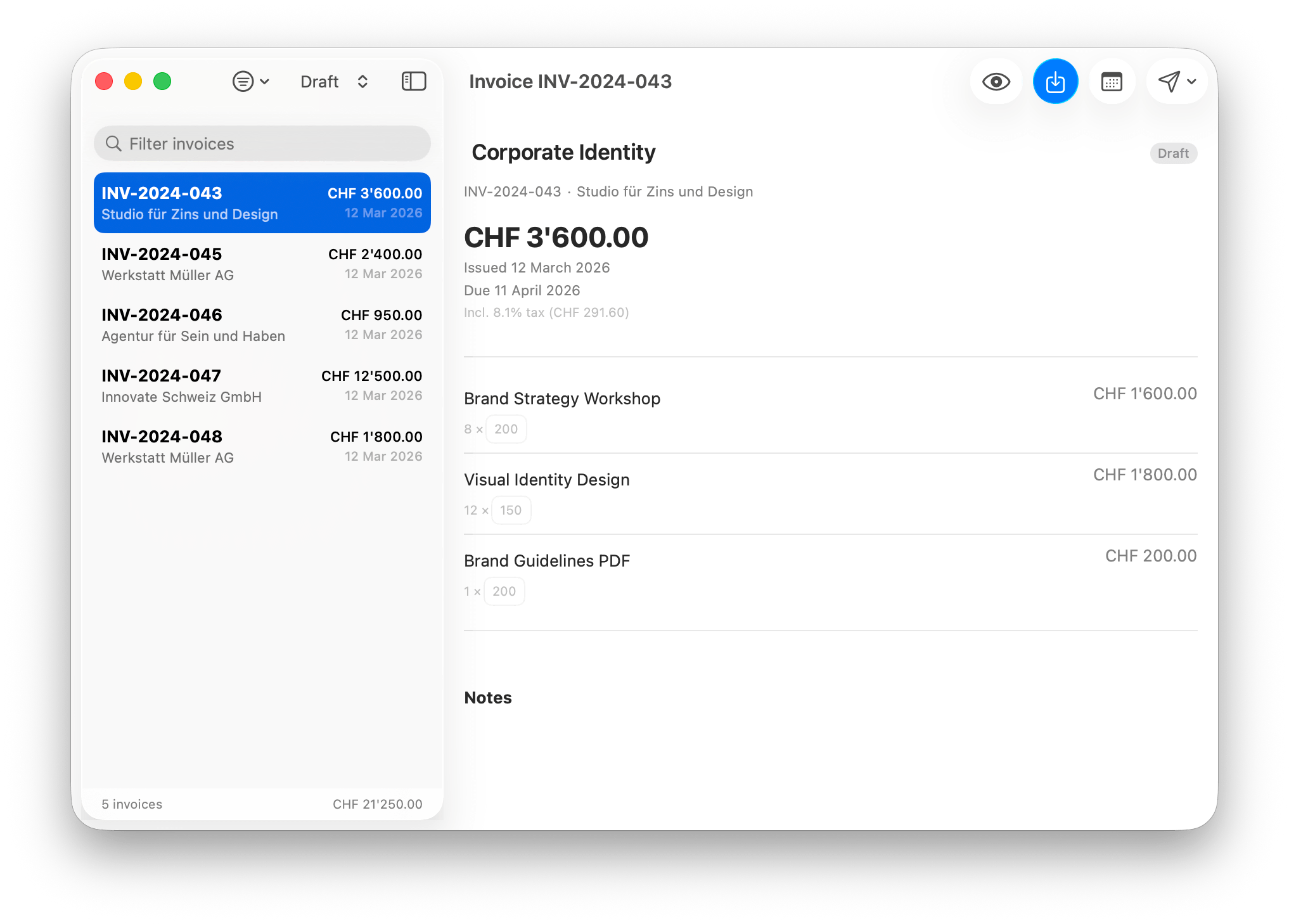
Log in with your Harvest API token and see all your invoices. Client details, amounts, and dates come straight from Harvest, and you can edit invoice data directly in the app before exporting.
Swiss QR codes
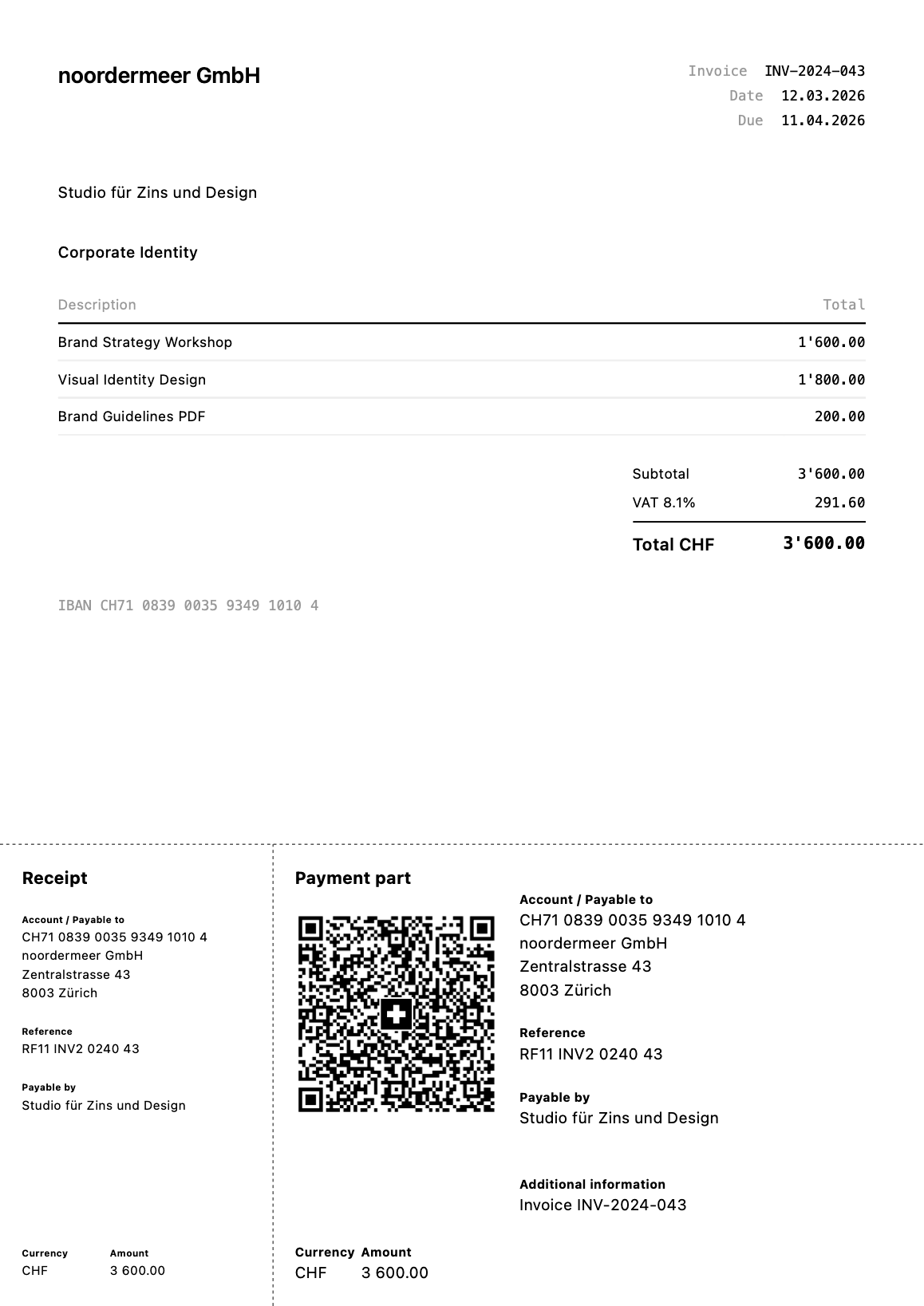
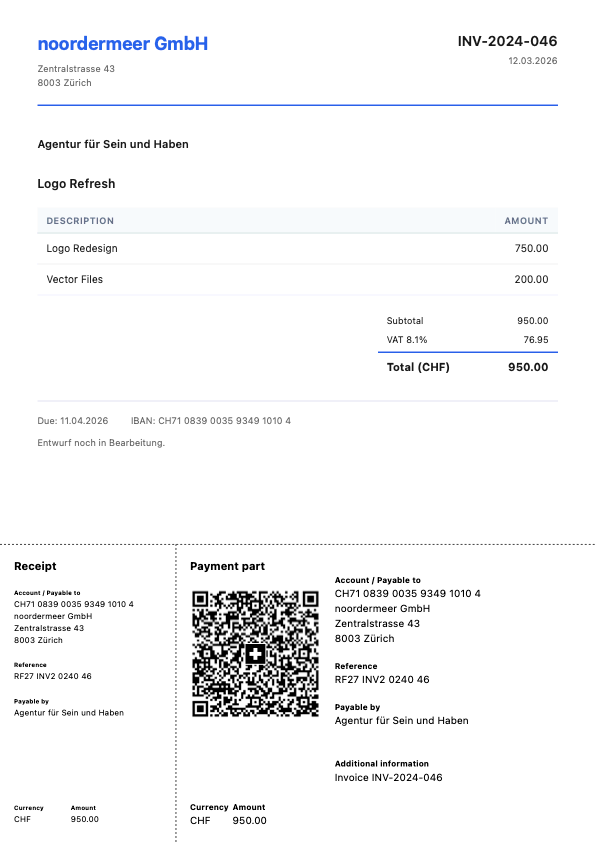
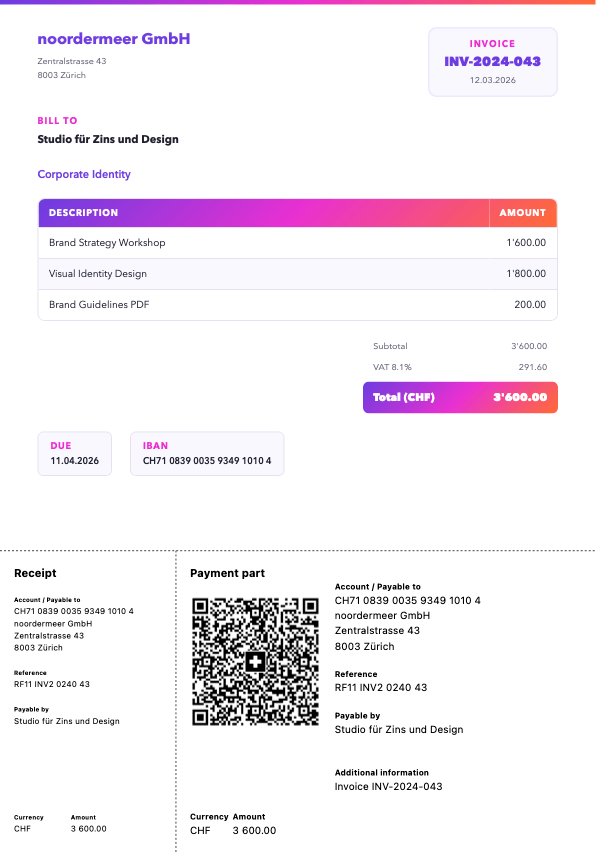
Each QR code contains the full payment data per Swiss Payment Standards. CHF and EUR, with SCOR creditor references (ISO 11649) generated from the invoice number.
PDF export
Appends the QR payment slip to your Harvest invoice PDF, or generates a new PDF from a custom HTML template. Either way, one file to send.
Custom templates
Write your invoice layout in HTML and CSS in your editor of choice. Template variables like {client_name} and {amount} get replaced with real data. Preview updates as you type.
Email invoices
Send the invoice with the QR Bill PDF attached directly from Harvie. The invoice gets marked as sent in Harvest.
Batch export
Select several invoices and export them in one go. Filenames follow a pattern you define, e.g. {date}_{client}_{number}.pdf.
Setup takes about a minute
Designing your custom template might take the rest of the day.

Connect Harvest
Paste your Harvest access token and account ID. Harvie saves them in your macOS Keychain.

Set your IBAN
Enter your IBAN and creditor address. Harvie derives the SCOR reference from each invoice.

Export, send & profit
Pick an invoice (or several), hit export, and you get a PDF with the QR payment slip attached.
Designed for macOS
Built with SwiftUI, runs natively on Apple Silicon and Intel. AI-assisted, painfully human-debugged. That's just how it's done now, I guess.
Three of the built-in templates, all yours to adjust
Your data stays on your Mac
Harvie talks directly to the Harvest API over HTTPS. Your API token is stored in the macOS Keychain. Invoice data lives in the app's local database and is never sent anywhere else.
Built by a human
Harvie is a one-person project by Joris Noordermeer. I built it because I needed QR bills for my own Harvest invoices, and it seemed a shame to keep it to myself. Please feel free to reach out for support, and I'm happy to hear any feedback as well.

Payment part
Get Harvie.
- Requires
- macOS 14+
- Version
- 0.8.3
No Linux, definitely no Windows — sorry. Too much spent on a free app already.